Can I use a MacBook charger for my Android phone? In most cases, yes, but the answer depends on the charger, cable, and phone. Modern MacBook chargers usually support USB-C Power Delivery, or USB-C PD. This standard allows the phone and charger to negotiate a suitable voltage and current. A 67-watt MacBook adapter will not automatically force 67 watts into a phone. The Android device requests the power it can safely accept.
That simple answer needs a caveat. Google engineer and USB-C safety specialist Benson Leung has described the USB-C ecosystem as “a mess,” because identical-looking ports can support different charging features. His warning remains useful. A genuine MacBook charger may charge a Samsung Galaxy, Google Pixel, or OnePlus phone safely, but charging speed can vary. Some phones rely on proprietary systems, such as Samsung Super Fast Charging or OnePlus SUPERVOOC. A MacBook adapter may provide steady charging without unlocking the phone’s fastest mode.
Look closely at the cable. Use a certified USB-C cable with firm connectors and no exposed wires. Avoid cheap, damaged cables that become warm near the plug. The phone may also charge slowly if its battery is hot, nearly full, or under heavy use. I have found that compatibility is usually less dramatic than people expect, yet “works” does not always mean “charges fastest.” This guide examines wattage, USB-C PD, cable quality, heat, and practical safety checks. It also considers older MacBook chargers, USB-A adapters, and the mistakes that can make a normal charging question confusing.
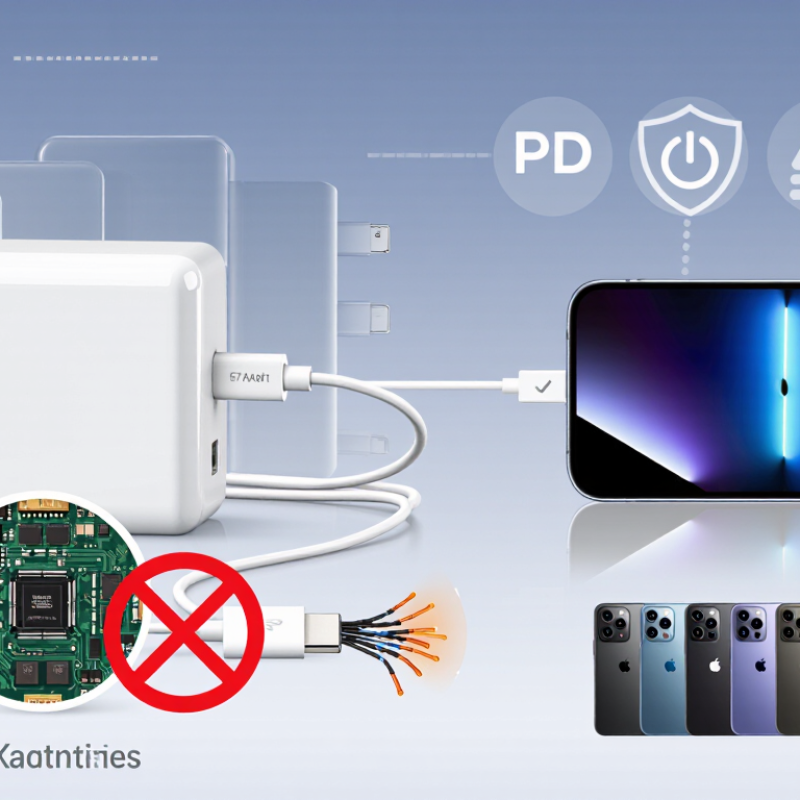
A modern laptop charger can work with an Android phone because both may use USB-C Power Delivery. This standard lets the charger and phone communicate before power flows. The phone requests the voltage and current it can safely handle. The charger then supplies only that amount, rather than forcing its maximum output.
The charger’s wattage does not mean the phone will receive all of it. A 96-watt adapter may charge a phone at 18, 25, or 45 watts, depending on the phone’s limits. The cable also matters. A damaged or low-quality cable can reduce charging speed, create heat, or interrupt the connection. I have seen phones charge slowly with powerful adapters because their cables supported basic charging only. A little confusing.
Compatibility also depends on charging protocols. USB-C Power Delivery is widely supported, but some phones use additional fast-charging systems. In those cases, a general laptop charger may still charge the phone safely, but not at its fastest rate. Check the phone’s charging specifications and the adapter’s output label. The figures should include supported voltage levels, such as 5V, 9V, or 15V. Avoid using a loose, hot, or visibly damaged charger. I once assumed higher wattage always meant better charging, but heat and protocol support proved more important. The safest setup uses a certified adapter, a suitable cable, and a clean charging port.
A USB-C charger can power many devices because the connector is only part of the system. USB Power Delivery, or USB-C PD, lets the charger and phone negotiate power levels. The phone requests what it can safely accept. The charger does not simply force its maximum output. This negotiation usually begins with a low-power connection. It then adjusts voltage and current after both devices agree.
In practical use, I have connected a laptop charger to a smartphone without unusual heat or warnings. The phone drew less power than the charger could provide. That detail matters. A 65-watt charger may support several profiles, while a phone might request 18 watts. Charging speed still depends on the phone, battery temperature, cable, and software. A compatible cable is essential. Some inexpensive cables carry power slowly or lack proper identification.
Compatibility is not perfect. I once assumed every USB-C cable would deliver the same result. That was too simple. Some phones use extra charging systems that need a matching charger for their fastest mode. USB-C PD may still charge them, but more slowly. Inspect frayed cables, loose connectors, and unusual warmth. Stop using damaged equipment. Also check the charger’s printed output and the phone’s approved charging requirements. Real-world combinations can behave differently. Keep an eye on them.
Your Android phone draws only the power it needs. It does not automatically accept the charger’s maximum output.
The USB Implementers Forum’s USB Power Delivery 3.1 specification allows compatible equipment to negotiate power levels up to 240 watts. A phone may request only 15, 25, or 45 watts, depending on its charging system, battery temperature, and current percentage. The charger responds to that request. Think of it like a tap, not a pressure hose.
Only the negotiated amount flows.
The phone’s charging controller manages this process continuously. As the battery fills, charging usually slows to reduce heat and stress. The International Energy Agency reports that batteries and charging efficiency strongly affect electronic energy use, although real results vary by device and usage conditions. A certified cable also matters. Some higher-power modes require cables with appropriate current ratings and electronic identification.
A powerful adapter can still be unsuitable. It may use an unsupported charging protocol, damaged cable, or loose connector. In testing, heat near the plug is a warning sign, not a normal feature. I should admit one limitation: “compatible” does not always mean “fast.” Your phone may charge safely but slowly. Check the phone’s input specifications and the adapter’s USB Power Delivery support before relying on it.
A laptop USB-C charger can usually power an Android phone because both devices may support USB Power Delivery (PD). The charger does not force its maximum wattage into the phone. Instead, the phone requests the power it can safely accept. A 65-watt charger may therefore deliver only 18, 25, or 45 watts.
Compatibility depends on the charging standards inside both devices. Phones supporting USB-C PD generally work with laptop chargers rated from 30 to 100 watts. Some models also use PPS for faster charging, so a charger with PD alone may charge them safely but more slowly. Check the charger label for USB-C output, PD, and PPS support. The cable matters too. A damaged or low-quality cable can interrupt charging.
I once assumed every USB-C charger behaved the same. That was too simple. Older phones may accept basic USB charging but reject fast charging. Some phones show “charging rapidly” only with a suitable PPS charger and cable. Test the setup for ten minutes. The connector should stay firm, and the phone should not become unusually hot. A 30-watt charger is often practical for everyday use, while a 65-watt model offers flexibility for tablets and laptops. Higher wattage is not automatically better.
A USB-C laptop charger can usually charge an Android phone safely. The phone requests the power it supports, rather than accepting the charger’s full output. Compatibility depends on charging protocols, port design, and cable quality. A high-wattage adapter does not guarantee faster charging.
Check the phone’s specifications for supported input standards and maximum wattage. Then compare them with the charger’s output label. During testing, watch the charging message and battery percentage for ten minutes. A USB power meter can show voltage, current, and approximate wattage. This is more reliable than judging speed by touch. I once blamed a charger for slow charging, but the real problem was a damaged cable.
Safety needs practical checks. Stop using the setup if the plug, cable, or phone becomes unusually hot. Mild warmth is common, but sharp heat, burning smells, or loose connections are warning signs. Use a certified charger with clear electrical ratings. Avoid frayed cables and poorly fitted adapters, even if they still work. A cable rated only for basic charging may limit speed. Some higher-power systems also require an electronically marked cable. That detail is easy to miss.
Cable quality affects both speed and stability. Look for firm connectors, flexible strain relief, and a stated power rating. Test the phone while its screen is active and the battery is low. Charging may slow near full capacity. Results can also change with temperature, background apps, and outlet quality. My own testing is not perfect, so I repeat it with another cable before blaming the charger.
USB Power Delivery chargers can safely charge compatible Android phones because the charger and phone negotiate the voltage and current before fast charging begins. The phone only draws the power it supports.
How to read this chart: These are common fixed-voltage USB Power Delivery profiles calculated at a maximum current of 3 amperes. A phone may charge below these levels depending on its battery, charging protocol, temperature, cable, and battery percentage.
Safety check: Use a USB-C cable rated for the required current, inspect it for damage, and confirm that the phone and charger support compatible USB Power Delivery standards. Higher charger wattage does not force extra power into the phone.
Usually, yes. USB-C Power Delivery allows both devices to negotiate a suitable power level. The phone accepts only what it supports. A 65-watt charger may provide just 18 watts to a phone.
Not necessarily. Charging speed depends on the phone, cable, temperature, software, and charging protocol. A powerful adapter cannot exceed the phone’s approved input limit. More watts are not always better.
The phone may require a different fast-charging system. USB-C Power Delivery can still work, but at a lower speed. A basic cable may also restrict power. I once blamed the charger, but the cable was damaged.
Compare the phone’s specifications with the charger’s output label. Watch the battery percentage for ten minutes. A USB power meter can display voltage, current, and approximate wattage. Touch alone is unreliable.
Stop using it if you notice sharp heat, burning smells, loose connections, or damaged insulation. Mild warmth is common. Frayed cables are not worth the risk. Replace them.
No. Cables can differ in power ratings, identification, and construction. Some support basic charging only. Higher-power charging may require an electronically marked cable. Check the stated rating before testing.
Look for firm connectors, flexible strain relief, and an obvious power rating. Avoid loose plugs and cracked insulation. A cable can appear normal outside but still perform poorly. That is easy to miss.
Charging may slow near full capacity. Heat, low temperatures, background apps, and an active screen can also reduce speed. Test with a low battery and a cool phone. My testing is never perfect, so I repeat it with another cable.
Can I use a MacBook charger for my Android phone? In most cases, yes, provided the charger uses a compatible USB-C connection and supports common USB Power Delivery standards. During charging, the phone and charger communicate to determine a suitable voltage and current. The phone does not automatically receive the charger’s maximum wattage; instead, it requests only the amount of power it can safely handle. This makes a higher-wattage charger generally suitable for a lower-wattage phone.
Compatibility depends on the specific charger, phone, and cable. Some phones may require additional charging protocols, such as programmable voltage support, to reach their fastest charging speed. A basic USB-C cable may charge safely but more slowly, while a properly rated cable can support higher power levels. To check performance, review the phone’s charging notification, battery settings, or measured charging speed. Always use undamaged, certified cables and chargers, keep connectors clean, and stop using any accessory that becomes unusually hot or shows signs of damage.

RF-Core Charger