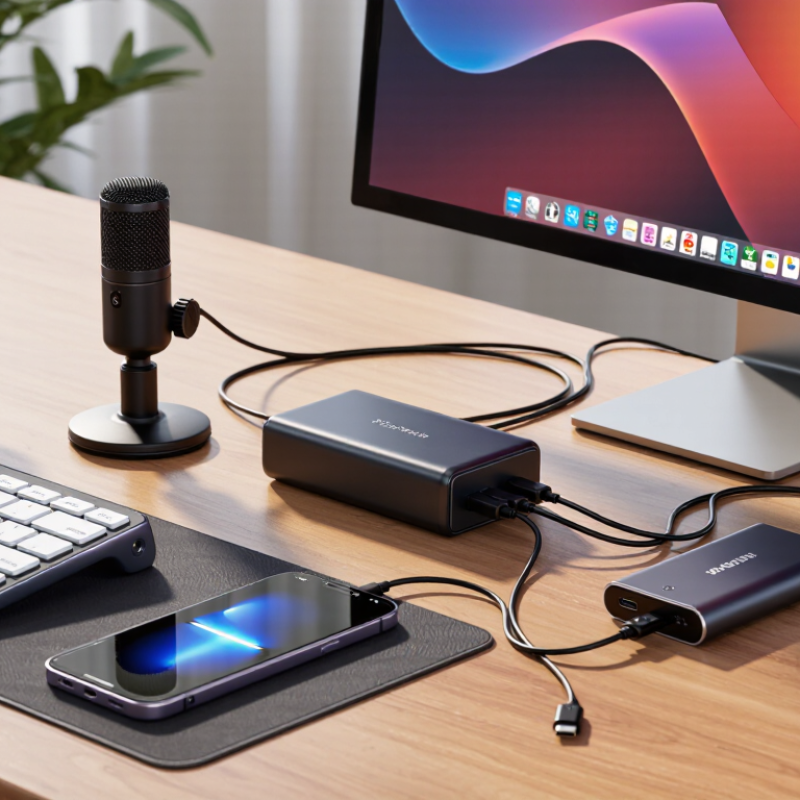
China Top Powered USB Hubs Why Do I Need One for My Desk?

Time:2026-10-03 Author:Isabella
0%

Why do I need a powered USB hub for my desk? The answer becomes clear when one laptop must serve several hungry devices. A webcam, external drive, microphone, keyboard, phone, and monitor can quickly consume every available port. A bus-powered hub may disconnect when demand rises. A powered model draws energy from its own adapter, giving connected devices steadier power.

The USB Implementers Forum reports that USB Type-C supports higher power delivery and faster data capabilities than older USB designs. USB-IF also identifies USB 3.2 and USB4 as solutions for demanding data connections. Meanwhile, Grand View Research projects continued growth in the global USB devices market through this decade, reflecting heavier everyday dependence on connected peripherals. These figures describe the market, not your exact desk. Your results still depend on the hub’s chipset, adapter, cables, and device limits.

Jeff Ravencraft, USB-IF president and chief operating officer, has described USB Type-C as “the one connector to rule them all.” That vision is useful, but it does not make every hub equal. A powered USB hub can reduce cable clutter, protect a laptop’s limited ports from constant swapping, and keep an external SSD working during large file transfers. It may also expose poor cable quality or an overloaded adapter. That part is easy to miss.

Picture a desk at 9 a.m.: your camera activates, your drive starts copying, and your phone begins charging. A powered hub gives that setup more breathing room. Not perfect. More practical.

China Top Powered USB Hubs Why Do I Need One for My Desk?

Powered USB Hubs Explained: External Power, Port Expansion, and Desk Use

A powered USB hub adds practical space to a crowded desk. It connects several peripherals through one computer port. External power matters because the hub does not rely entirely on the computer’s limited USB output. A keyboard, mouse, webcam, storage drive, and desk light can work together more consistently.

The USB Implementers Forum states that USB 3.2 supports transfer rates of 5, 10, or 20 Gbps, depending on the implementation. That figure describes the interface, not every connected device. A slow drive will not become fast through a premium hub. I once overlooked this detail. The cable mattered more than expected.

USB Power Delivery 3.1 can negotiate up to 240 watts, according to the USB-IF specification. Most desk hubs use far less power, but this standard shows how USB power has developed. External power can reduce disconnects when several devices start simultaneously. It also helps maintain stable performance for high-demand storage and audio equipment.

Keep the hub within reach. Rear-mounted ports quickly become frustrating.

A short, well-labeled cable reduces clutter and accidental unplugging. IDC’s worldwide PC shipment reports show how essential connected computing remains, yet more ports do not automatically mean better organization. Port expansion should match real devices. Extra sockets can become another form of desk clutter. A powered hub is useful when stability matters more than simply adding connections.

Power Capacity by Standard: USB PD 3.1 Supports Up to 240 W (USB-IF)

China Top Powered USB Hubs: Why Do I Need One for My Desk?

A powered USB hub can prevent a crowded desk from becoming a charging bottleneck. My desk often runs a laptop, monitor, external drive, keyboard, and phone. Bus-powered hubs may struggle when several devices work together. A separate adapter supplies steadier power and reduces unexpected disconnects. It feels minor, until a drive vanishes during file transfers.

Power capacity matters, but the headline number needs careful reading. The USB Implementers Forum’s USB Power Delivery 3.1 specification supports up to 240 W through Extended Power Range, using up to 48 V and 5 A. That does not mean every hub delivers 240 W to connected ports. Internal circuits, thermal design, cable ratings, and shared output limits still apply. The USB-IF also requires suitable electronically marked cables for higher-current operation. IEC 62680-1-3 documents USB Type-C connector and cable requirements, offering another technical reference.

For a desk hub, I would check total output, per-port limits, and adapter efficiency. A 100 W input may leave much less after hub electronics consume power. I once focused only on the largest wattage figure. That was a mistake. Real performance depends on simultaneous loads. A good specification should explain this clearly, not hide it in small print. Manufacturer test records and independent electrical testing add useful evidence before purchase.

Data-Speed Choices: USB 3.2 Reaches 20 Gbps (USB-IF)

A powered USB hub can tidy a desk, but its real value depends on data speed. USB-IF’s USB 3.2 specification lists up to 20 Gbps for USB 3.2 Gen 2x2. That figure is theoretical. Protocol overhead, cable quality, and shared hub bandwidth reduce practical performance.

I have seen file transfers slow when an external SSD and webcam share one upstream connection. A 20 Gbps port may feel ordinary then. USB-IF guidance also separates speed ratings from power delivery, so a powered hub is not automatically a faster hub. Check the exact port label, cable rating, and host-computer support before buying. Small details matter.

Independent testing from StorageReview has repeatedly shown real storage speeds below advertised interface limits, often because of overhead and device controllers. For desk use, one high-speed port suits large video files or backups. Other ports can handle keyboards, microphones, and receivers. My earlier assumption was simple: more ports meant better performance. It was wrong. A hub with stable external power, clear USB 3.2 Gen 2x2 labeling, and enough upstream bandwidth is more useful than a crowded hub claiming maximum speed everywhere.

How to Match Ports and Power to Monitors, Drives, and Peripherals

A powered USB hub can turn a crowded desk into a practical workstation, but port matching matters more than port count. Start by listing every device: monitor, external drive, keyboard, mouse, camera, and phone. A monitor may need HDMI or DisplayPort, while a drive usually needs USB-A or USB-C data. Not every USB-C port supports video. Check that detail.

Power is the less visible issue. A keyboard and mouse use little energy, but a portable hard drive can draw more during startup. An SSD is usually easier to support. Choose a hub with a dedicated power adapter and enough total wattage for all connected devices.

Do not judge by the largest number printed on the box. Shared power limits can reduce real performance. Keep some headroom.

I once connected a monitor, drive, and camera to a small unpowered hub. The camera dropped during video calls, and the drive disconnected during file transfers. My first setup was wrong.

For a stable desk, match data speed to the drive, video output to the monitor, and charging power to the laptop. Check the host computer’s upstream port too.

A fast hub cannot bypass a slow computer port. Short, certified cables also reduce connection problems. Still, I would measure actual needs before buying another adapter. More ports are not always better.

Safety and Buying Checks: USB-IF Compliance, Thermal Control, and China Sourcing

A powered USB hub can turn one crowded desk port into a practical charging and data station. Safety checks matter more than the number of ports. Look for clear USB-IF compliance evidence, including test documentation that matches the exact model. A printed logo alone proves little. Verify the supported USB version, power limits, and connector specifications.

Thermal control is easy to overlook. During testing, connect several devices and check the enclosure after thirty minutes. It should feel warm, not painfully hot. Good designs use overload protection, stable power delivery, ventilation, and components rated for continuous operation. Keep the hub away from fabric and avoid covering its vents. I once trusted a smooth aluminum case too quickly; it looked premium, but its adapter became unusually hot under load.

When sourcing from China, request production samples before discussing large orders. Review factory records, inspection procedures, packaging details, and warranty terms. Ask whether the supplier controls component changes after approval. Test data should include full-load temperature, port stability, short-circuit response, and adapter performance. Independent inspection can reveal loose sockets or undersized cables. Pricing is important, but the cheapest offer may hide inconsistent components. I still find supplier documents imperfect sometimes, so every claim deserves a practical check. Evaluate the sample on your desk, not only in a spreadsheet.

FAQS

What is a powered USB hub?

It expands one computer port into several connections. An external adapter supplies additional power. Keyboards, drives, webcams, and desk lights can work together more reliably.

Why does external power matter?

A computer has limited USB output. Several devices starting together may cause disconnects. External power helps stabilize storage, audio equipment, and other demanding peripherals.

Does a powered hub make every device faster?

No. Speed depends on the computer, cable, hub, and connected device. A slow drive remains slow. I once ignored the cable, and the transfer speed suffered.

What data speeds can USB 3.2 support?

USB 3.2 can support 5, 10, or 20 Gbps, depending on its implementation. These are theoretical interface rates. Real transfers are usually lower because of overhead and shared bandwidth.

Can several devices share one high-speed port?

Yes, but they share the upstream connection. An external SSD and webcam may slow each other during heavy use. Use the fastest port for backups or large video files.

Does a 240-watt power rating mean every port delivers 240 watts?

No. That figure describes a maximum standard capability, not ordinary hub output. Internal circuits, heat, cables, and shared limits reduce usable power.

What should I check before buying a powered hub?

Check total output, per-port limits, adapter efficiency, port speeds, and cable ratings. Confirm that the computer supports the advertised standard. Large numbers can hide small details.

Where should I place a powered USB hub on a desk?

Keep it within easy reach. Rear-mounted ports become frustrating quickly. A short, labeled cable reduces clutter and accidental unplugging.

Can adding more ports improve desk organization?

Not automatically. Unused sockets may create another tangle of cables. Match the hub to real devices, or the desk may look worse.

Is a powered hub always necessary?

No. It is most useful when several devices need stable power together. For a mouse and keyboard alone, a simple hub may be enough.

Conclusion

Why do I need a powered USB hub for my desk? A powered hub provides additional USB ports while drawing electricity from an external adapter instead of relying entirely on a computer’s limited power output. This makes it useful for connecting monitors, external drives, cameras, keyboards, charging devices, and other peripherals at the same time. With the right configuration, it can improve workspace organization, reduce cable clutter, and provide more stable performance for power-hungry equipment.

When choosing a hub, compare its power capacity, port types, and data speeds with your devices. USB Power Delivery 3.1 can support up to 240 W in suitable systems, while USB 3.2 can reach data rates of up to 20 Gbps under the correct conditions. Also check the number of high-speed ports, charging support, adapter quality, thermal control, and compliance with recognized USB standards. For China sourcing, request clear specifications, safety documentation, testing records, and consistent quality-control information before purchasing.

Isabella

Isabella

Isabella is a dedicated marketing professional with a sharp focus on driving brand growth and engagement through strategic content creation. With an extensive background in digital marketing, she combines her passion for storytelling with her keen understanding of industry trends to deliver......