Encountering issues with your USB-C port not charging can be frustrating. Many users face this problem at some point. It raises questions about the reliability of their devices. Understanding how to fix a USB-C port not charging is essential for smooth device operation.
USB-C ports are widely used across various devices. They offer fast data transfer and quick charging capabilities. However, numerous factors may hinder their performance. Dirt or debris can accumulate in the port, interfering with a proper connection. Sometimes, the charging cable itself may be defective. Identifying these problems is crucial.
Take the time to examine your USB-C port closely. Look for any visible signs of damage or obstruction. Clean the port carefully with a soft brush or compressed air. Ensure that your charging cable is functioning properly as well. Using an alternative charger can help diagnose if the issue lies with your device or the charging equipment. Learning how to fix a USB-C port not charging can empower you to address these challenges effectively.
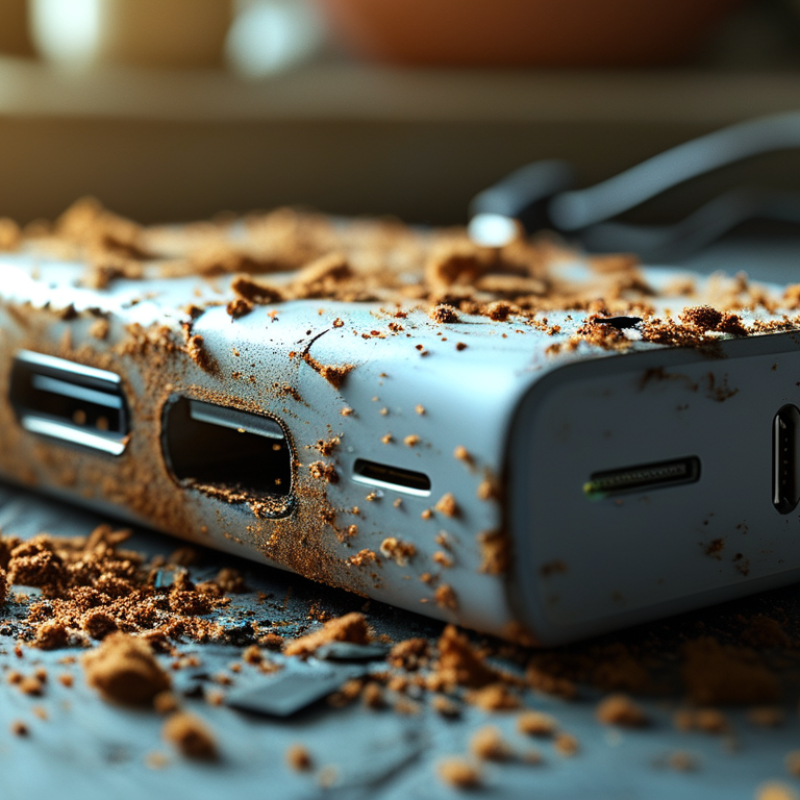
Understanding USB-C Port Charging Mechanism
USB-C ports have revolutionized how we charge our devices. Understanding the charging mechanism is essential for effective troubleshooting. USB-C uses a power delivery protocol, which allows for high wattage transfer. It means that the port can negotiate the amount of power needed, but this process can sometimes fail. Faulty cables, incompatible chargers, or damaged ports can disrupt this mechanism.
When a device doesn’t charge, start with the cable. Look for frays or bends, as these can critically impact performance. Some cables are only meant for data transfer and cannot handle power. Additionally, the USB-C port may accumulate dust or debris, obstructing the connection. Cleaning it gently can sometimes resolve charging issues.
If the charger and cable are fine, the problem might lie with the device's software. Occasionally, a simple restart can reset charging protocols. However, if issues persist, consider checking for firmware updates. They can fix bugs that interfere with the charging process. It's intriguing how a small oversight can lead to frustrating experiences. Understanding these nuances can save time and effort in troubleshooting USB-C charging problems.
Common Symptoms of USB-C Charging Issues
A USB-C port not charging can lead to frustration and inconvenience. Common symptoms include devices not powering up, slow charging, or intermittent connectivity. You might notice a charging symbol appearing and disappearing on your screen, which can indicate a problem. Frequent disconnections while charging also point to potential issues.
One effective way to troubleshoot is to check the charging cable. Inspect for frays or kinks. A damaged cable may prevent proper charging. Swap it with a known working cable to see if that resolves the issue. Keep in mind that using third-party cables can sometimes lead to compatibility problems. Compatibility issues can create confusion and further complications.
Additionally, examine the USB-C port itself. Dust and lint can accumulate inside, obstructing the connection. A compressed air canister might help clear out any debris. Be cautious not to damage the port while cleaning. The environment can impact charging; extreme temperatures could affect performance as well. If the port appears damaged or loose, it may be time for a professional evaluation. Reflect on usage habits as well; rough handling can contribute to these issues over time.
Common Symptoms of USB-C Charging Issues
Step-by-Step Troubleshooting for USB-C Charging Problems
Experiencing USB-C charging issues can be frustrating. Follow this step-by-step guide to troubleshoot effectively. Start by inspecting the port for dust or debris. Sometimes, a simple cleaning with a soft brush can resolve connectivity problems. Use a flashlight to check the port’s interior. Make sure there are no obstructions preventing a secure connection.
Next, evaluate your charging cable and adapter. Look for visible damage such as fraying or bent connectors. If you have another cable or adapter, test them to see if the problem persists. This step can quickly clarify whether the issue lies with the accessory rather than the device itself. Additionally, try plugging the charger into different outlets. A malfunctioning outlet can often be the culprit.
If the device still does not charge, restart it. Sometimes, software glitches can interfere with charging. After the restart, observe whether the charging indicator appears. If not, consider checking for firmware updates. An outdated system can lead to performance issues, including charging failures. Be patient during the process. Troubleshooting can be a journey of trial and error, requiring reflection on each step taken.
How to Fix USB-C Port Not Charging Issues Effectively?
| Troubleshooting Step |
Description |
Expected Outcome |
| Inspect the Cable |
Check for any visible damages or wear on the USB-C cable. |
Ensure the cable is intact and functional. |
| Examine the USB-C Port |
Look for dust, debris, or damage inside the USB-C port. |
A clean and undamaged port allows for proper connection. |
| Try a Different Charger |
Use a different USB-C charger that is compatible with the device. |
Determine if the issue lies with the original charger. |
| Restart the Device |
Power off the device completely and turn it back on. |
Reset any temporary software issues affecting charging. |
| Update Software |
Check for and install any available software updates for the device. |
Ensure that the device is running the latest software. |
| Check Power Source |
Ensure the power outlet or USB port is functioning correctly. |
Verify that power supply is active and stable. |
| Perform a Hard Reset |
For devices with a removable battery, take out the battery and hold the power button. |
Resolve any deep-seated hardware issues. |
When to Seek Professional Help for USB-C Port Repairs
When dealing with USB-C port charging issues, knowing when to seek professional help is crucial. If simple solutions like cleaning the port or trying different cables fail, it may be time to consult an expert. Often, problems arise from internal damage or complex issues that require specialized tools and knowledge.
Look for physical signs of damage. Does the port feel loose? Is there any visible debris inside? Small issues can sometimes lead to bigger problems if ignored. If the device has experienced a fall or liquid exposure, having a technician examine it is wise. DIY fixes can lead to further complications, potentially worsening the situation.
Professional help brings reliability and expertise. Technicians have experience diagnosing various hardware issues. They can identify not just the symptoms but also the underlying causes. This approach ensures a thorough repair and often saves time and money in the long run. Choosing to rely on professionals can instill confidence in your device's functionality, keeping it reliable for your daily needs. Remember, not every problem can be fixed without help.
Preventative Measures to Avoid Future USB-C Charging Issues
USB-C charging issues can be a hassle. To prevent these from recurring, adopting proactive measures is crucial. One key measure is to keep your USB-C ports clean. Dust and debris can accumulate, leading to poor connectivity. Regularly use compressed air to blow out particles. A clean port ensures a reliable connection.
Another important aspect is cable care. Regularly inspect your cords for any wear and tear. Frayed cables can lead to inconsistent charging. Ensuring you use only high-quality cables also minimizes potential problems. Charging accessories that follow industry standards can make a difference in performance.
It's vital to avoid overcharging devices. Leaving your device plugged in for extended periods can degrade battery health. Try to unplug devices once they reach full charge. Additionally, maintaining an optimal charging environment helps. Extreme temperatures can affect charging efficiency. Aim for a cool, dry place when charging your devices.
Conclusion
When dealing with the frustrating issue of how to fix a USB-C port not charging, it’s essential to understand the underlying mechanism of USB-C charging. This knowledge not only helps in identifying common symptoms such as slow charging or failure to charge but also aids in effective troubleshooting. The article outlines a step-by-step guide to diagnosing and resolving USB-C charging problems, emphasizing the importance of checking the cable, port cleanliness, and power source.
Moreover, it suggests when to seek professional help to ensure your device is repaired correctly and efficiently. To prevent future issues, readers are encouraged to adopt preventative measures such as using high-quality cables and avoiding excessive bending or pulling on the connectors. By following these guidelines, users can enhance their device's longevity and mitigate recurring charging problems.

 RF-Core Charger