How Many Devices Can One USB Hub Support for Optimal Use?

Time:2026-05-03 Author:Sienna
0%

In today's digital age, we rely heavily on various devices. The convenience of USB hubs allows us to connect multiple devices simultaneously. However, this raises a common question: how many devices can one USB hub handle?

Understanding the optimal number of devices for a USB hub involves several factors. Each hub has specific limitations based on its design and power supply. For instance, a standard USB 3.0 hub can support up to 127 devices, theoretically. Yet, practical usage often reveals a lower number is ideal for optimal performance.

Consider real-world scenarios. When connecting too many devices, speed and functionality can suffer. Misjudging the capacity of your USB hub may lead to frustrating experiences. Ultimately, the best practice is to know your hub's specifications and assess your actual needs. Balancing connectivity with performance is essential for a smooth user experience.
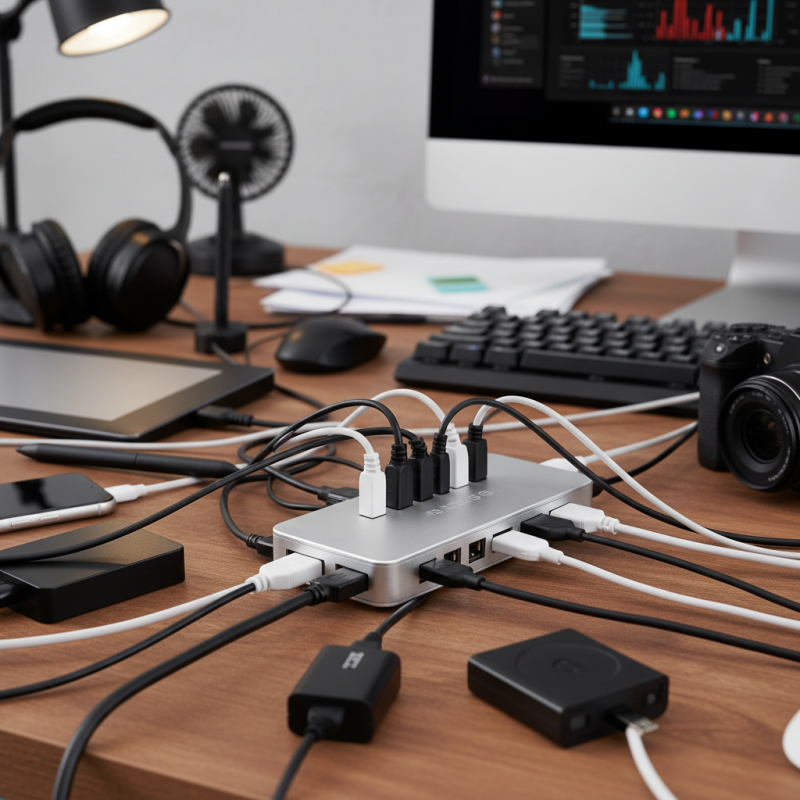
How Many Devices Can One USB Hub Support for Optimal Use?

What is a USB Hub and Its Functionality?

A USB hub is a device that expands a single USB port into multiple ports. This is especially useful for users with many peripherals. Common devices connected include keyboards, mice, printers, and external drives. USB hubs make it easier to manage multiple devices from one location.

Functionality varies among hubs. Some have their own power source, while others draw power from the computer. Powered hubs can support more devices without risking power shortages. Non-powered hubs may struggle to provide enough energy for multiple high-demand devices. Users need to assess their needs carefully.

While USB hubs enhance connectivity, they are not flawless. Some devices may not work well together. Overloading a hub can lead to data transfer issues. Reflection on the number of devices you connect to a hub is vital. Understanding the limits of a hub helps ensure smooth operation.

Understanding the Limits of USB Hub Power Supply

When considering how many devices a USB hub can support, power supply is a crucial factor. Each hub has specific limits based on its design and power source. Many hubs operate on bus power, drawing energy directly from the host device. This setup is convenient but often insufficient for powering multiple high-demand devices. Each device consumes a portion of the available power, which can lead to problems.

When connecting several devices like external drives, webcams, and keyboards, users may experience performance drops or malfunctioning devices. It’s essential to check the hub's power supply specifications. A powered USB hub, which comes with its own power adapter, can support more devices efficiently. These hubs provide a stable power source, ensuring that each connected device receives adequate energy. Users can fully utilize their devices without worrying about inadequate power supply.

Not every hub is created equal, and different devices have varying power needs. For instance, a simple mouse uses far less power than a printer or a hard drive. It's common to overlook these details, leading to frustration and inefficiency. Understanding these limits fosters better usage habits. Balancing the number of devices with their power requirements is essential for optimal performance.

How Many Devices Can One USB Hub Support for Optimal Use?

This chart illustrates the optimal number of devices that can be connected to a USB hub based on its power supply capacity. It highlights how the number of devices can vary depending on the power output of the hub.

Factors Affecting the Number of Devices Supported

When using a USB hub, several factors affect how many devices it can optimally support. The USB version plays a crucial role. For instance, USB 3.0 can handle more devices than USB 2.0 due to its higher data transfer rate. USB 3.0 offers speeds up to 5 Gbps, allowing for better performance when connecting multiple high-bandwidth devices like external drives and webcams.

Power distribution is another critical factor. Many hubs may require external power to support multiple devices, especially those that draw more power. According to industry reports, a powered USB hub can support up to 10 devices effectively, maintaining optimal performance without sacrificing speed. In contrast, unpowered hubs may only sustain 3 to 4 devices adequately, particularly under heavy use.

Device compatibility also matters. Some devices may not seamlessly work together. For example, a high-power device can malfunction if it's sharing bandwidth with low-power peripherals. Users often experience connectivity issues without realizing the limitations of their hub setup. Thus, understanding these factors is essential for maximizing the utility of any USB hub.

How Many Devices Can One USB Hub Support for Optimal Use? - Factors Affecting the Number of Devices Supported

USB Hub Type Max Devices Supported Power Supply Type Ideal Use Case
Bus-Powered USB Hub 4-7 Devices No External Power Laptops and Portable Devices
Self-Powered USB Hub 10-15 Devices With External Power Supply Desktop PCs, Monitors
High-Speed USB Hub 8-12 Devices Both Power Options Available Creative Workstations
Charging USB Hub 4-10 Devices Fast Charging Ports Available Mobile Device Charging

Optimal Device Configuration for USB Hubs

When selecting a USB hub, understanding the optimal device configuration is crucial. Many users assume that more ports translate to better performance. However, this is not always the case. The hub's capacity often depends on its power supply and bandwidth. For instance, a hub with ten ports cannot effectively support ten high-power devices simultaneously.

To optimize performance, consider the types of devices you plan to connect. High-bandwidth devices like external hard drives and cameras require more resources. Connecting several of these simultaneously may overwhelm a hub. It's best to combine high-bandwidth devices with low-bandwidth ones, such as mice or keyboards.

The total power drawn is another key factor. A hub that isn’t powered externally may struggle with multiple devices. Users should reflect on their usage patterns and power needs. Adjusting the number and type of devices can lead to better performance. It's also vital to regularly check for firmware updates on your hub. This practice ensures that you’re maximizing compatibility and efficiency.

Best Practices for Maximizing USB Hub Efficiency

When considering USB hubs, maximizing efficiency is crucial. Research indicates that most USB hubs can support up to seven devices simultaneously. However, performance may decline with excessive use. Data transfer rates are often split among connected devices. This can lead to slower speeds if multiple high-demand items are plugged in.

To improve efficiency, prioritize device types. For instance, connect lesser-demand devices, like keyboards or mice, alongside high-speed devices. USB 3.0 hubs offer better performance compared to USB 2.0, yet not all devices support the higher standard. Always verify compatibility before making connections.

It's essential to monitor power requirements. Many devices draw substantial power. A powered USB hub can provide more reliable performance. Industry studies show that devices that require more than 500mA may overdraw from unpowered hubs, leading to disconnects or damage. Balance is vital; understanding each device's need aids optimal USB hub usage.

FAQS

: What is a USB hub?

: A USB hub expands one USB port into multiple ports for connecting various devices.

How do powered and non-powered USB hubs differ?

Powered hubs typically support more devices, while non-powered hubs may struggle with power demands.

Can I connect multiple high-bandwidth devices to a single hub?

It's not advisable. Connecting several high-bandwidth devices can overwhelm the hub’s capacity.

What types of devices work best with USB hubs?

Combine high-bandwidth devices, like external drives, with low-bandwidth ones, such as keyboards.

How many devices can a USB hub usually support?

Most USB hubs can effectively support up to seven devices simultaneously.

What should I consider for optimal USB hub performance?

Monitor power needs, device types, and check for firmware updates regularly.

Why might a hub lead to slower performance?

Performance declines when many high-demand devices are connected, splitting data transfer rates.

How do I maximize efficiency with my USB hub?

Prioritize connecting low-demand devices alongside high-speed devices for better performance.

What happens if I overload a USB hub?

Overloading can cause data transfer issues or device disconnects, reflecting a lack of balance.

Is it important to verify device compatibility with the hub?

Yes, compatibility checks ensure optimal performance and prevent connection issues.

Conclusion

A USB hub serves as a crucial accessory for expanding connectivity options by allowing multiple devices to connect to a single USB port. Understanding how many devices one USB hub can handle optimally requires consideration of power supply limitations, which vary based on the hub's design and the power requirements of the connected devices. Generally, a hub's power output can significantly affect its capacity, as each device draws a certain amount of power.

Factors such as the type of devices plugged in and optimal configuration play vital roles in maximizing the efficiency of a USB hub. For instance, prioritizing low-power devices can enable a hub to support more connections. Adopting best practices, like using powered hubs for high-demand peripherals and avoiding overloading, can further enhance performance. Ultimately, knowing how many devices can one USB hub handle will depend on these technical considerations and usage scenarios to ensure a seamless experience.

Sienna

Sienna

Sienna is a skilled marketing professional with a deep expertise in our company’s core products and services. With a passion for innovation and detail, she plays a pivotal role in crafting insightful blog posts that not only highlight the unique features of our offerings but also provide valuable......