How to Secure Tablets in a Public Charging Dock Safely?

Time:2026-05-31 Author:Oliver
0%

In today’s tech-savvy world, securing devices in public spaces is crucial. Tablets, often used for personal and business tasks, need protection against theft or damage. According to John Smith, an expert in digital security, "Properly securing tablets in public charging docks is essential for safeguarding sensitive information."

Many users do not realize the risks associated with public charging stations. Unsecured devices can be easily snatched or compromised. Ensuring the safety of your tablet should be a priority. Implementing simple strategies can significantly reduce the likelihood of theft. Using lockable charging docks and surveillance cameras is a good start.

However, some challenges remain. Not every location offers secure docking options. Users must stay vigilant, constantly assessing their surroundings. It’s a reminder that safety is an ongoing effort. Taking proactive steps can help in understanding how to secure tablets in a public charging dock effectively. With deliberate actions, one can protect personal data and enjoy peace of mind.
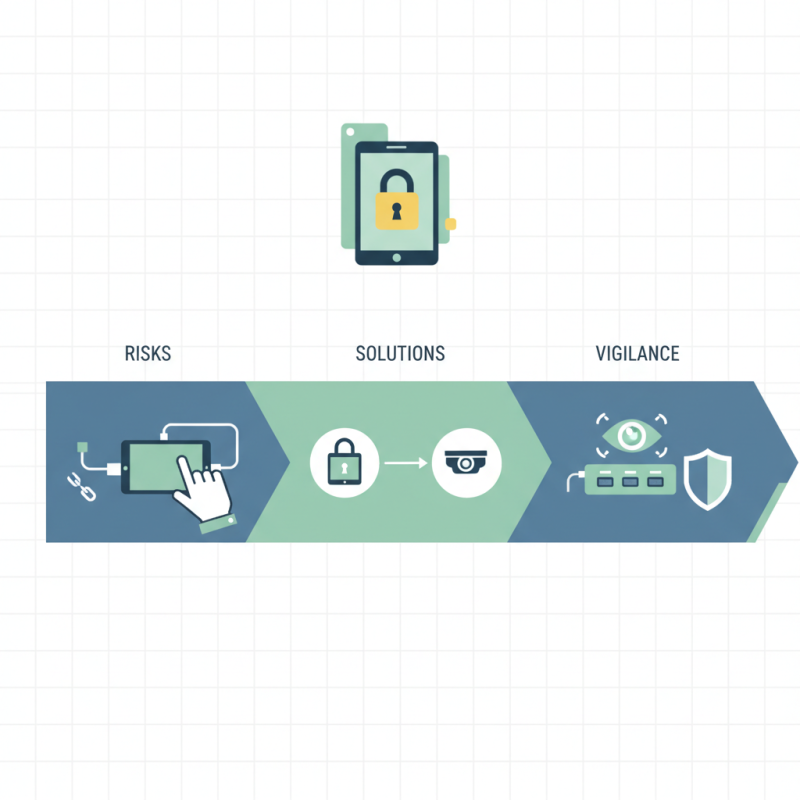
How to Secure Tablets in a Public Charging Dock Safely?

Understanding the Risks of Public Charging Docks for Tablets

Public charging docks are commonly found in cafes, airports, and public spaces. Many people use them to recharge their tablets. However, these docks pose significant risks. One major concern is data theft. Cybercriminals can exploit unsecured USB ports to gain access to sensitive information. This means while your device is charging, it could also be vulnerable.

Another issue is malware installation. Some public charging stations can be modified to inject harmful software into connected devices. You might think your tablet is safe, but it’s an easy target for hackers. This situation can happen quickly, often without your knowledge. Users must remember that not all charging stations are created equal.

In light of these risks, it's important to take precautions. Avoid using public docks whenever possible. If you must charge in public, consider using a personal power bank. Enabling lock screens and keeping software up-to-date can further enhance security. Awareness of these potential threats is crucial. Everyone should reflect on their charging habits and the safety of their devices.

How to Secure Tablets in a Public Charging Dock Safely?

Risk Factor Description Mitigation Strategy
Data Theft Using charging docks that can intercept data during charging. Use only trusted charging stations and consider using USB data blockers.
Malware Infections Docks may be compromised to install malware on devices. Keep devices updated with the latest security patches and use antivirus software.
Physical Theft Tablets left unattended in public spaces can be stolen. Use docks that have locking mechanisms and are monitored.
Power Surge Unexpected power surges can damage tablets. Utilize surge protectors within charging docks.

Choosing the Right Type of Public Charging Dock for Tablet Security

When selecting a public charging dock for tablets, prioritize security features. Look for docks equipped with locking mechanisms. These locks can deter theft and provide peace of mind. Choose docks that require a key or a code for access. This added layer of protection is vital in public spaces.

It's essential to check the build quality of the charging dock. Materials like metal or reinforced plastic improve durability. A stable base can prevent tipping or damage during use. Moreover, consider docks that hide cables effectively. Tangles or loose wires can create hazards and invite theft.

Tips: Always inspect the charging station regularly. Look for signs of wear or damage. If you notice anything unusual, report it immediately. Encourage users to remain vigilant. Having security cameras nearby can enhance safety. Ultimately, the right dock not only charges but also protects valuable devices.

Tablet Security in Public Charging Docks

Implementing Physical Security Measures for Tablets in Docks

Securing tablets in public charging docks requires thoughtful physical security measures. One effective strategy is to use lockable charging stations. These stations prevent unauthorized access, ensuring that devices stay in place during charging. A simple yet functional design can protect tablets from theft or tampering.

Another consideration is the use of tamper-resistant screws or locks on the tablet holders. This adds an extra layer of security, making it more difficult for someone to remove a device quickly. It's a small detail, but it can deter opportunistic thefts. Regular audits of the charging area can also highlight potential security flaws.

Proper signage can help, too. Clear instructions can remind users to stay with their devices while charging. However, not everyone will follow these guidelines. Observing user behavior can uncover weaknesses in the station's design or security protocol. Regular evaluations and updates are necessary to keep improving the security measures in place.

Using Software Solutions to Protect Tablets During Public Charging

Tablets are essential tools in today’s connected world, especially in public spaces. However, placing them in a public charging dock raises significant security concerns. To reduce risks, software solutions can play a vital role. Security apps can lock down devices while they charge, preventing unauthorized access. Features like remote wipe ensure that sensitive data does not fall into the wrong hands.


Using mobile device management software provides another layer of protection. This software simplifies monitoring devices while they’re docked. Administrators can enforce security policies, such as disabling USB ports, to limit malicious activities. Data encryption enhances security against potential breaches. Yet, even the most sophisticated software can have vulnerabilities. Regular updates are crucial for maintaining security integrity.


While software solutions help, they aren’t foolproof. Users must be aware of their surroundings. A vigilant approach complements technological safeguards. Consideration of physical security is essential, too. Devices should be chained to the dock or monitored closely. Balancing these measures can make public charging a safer experience for everyone.

Best Practices for Users to Secure Their Tablets in Public Spaces

Public charging docks can be convenient in busy places, but they also pose risks to your tablet. Hackers often use these docks to steal data. Each tablet user should take precautions when using public charging stations. Before connecting, check the dock's legitimacy. If it seems out of place or poorly maintained, it might be best to avoid it.

Using a portable power bank can mitigate risks. You have full control over your device and data when charging on a personal power source. Moreover, always enable password protection and biometric authentication on your tablet. This adds an essential layer of security against unauthorized access.

Awareness is critical. Look around and observe if anyone appears suspicious. Be cautious about leaving your device unattended. Even a few moments can lead to potential theft or data breaches. Remember, prevention is always better than regret.

FAQS

: What risks are associated with public charging docks?

: Public charging docks can lead to data theft and malware installation while charging devices.

Why is data theft a concern with public charging docks?

Cybercriminals can access sensitive information through unsecured USB ports during charging.

How can malware be installed via charging docks?

Some stations can be modified to inject harmful software into connected devices without the user knowing.

What precautions should users take when charging in public?

Avoid public charging docks; use a personal power bank instead.

How can users secure their devices while charging?

Enable lock screens and keep software up-to-date for better security.

What are some physical security measures for charging stations?

Lockable charging stations can prevent unauthorized access to devices during charging.

What can deter opportunistic thefts at charging stations?

Using tamper-resistant screws or locks on tablet holders adds an extra layer of security.

Why is user behavior important to observe at charging stations?

Observing behavior can highlight weaknesses in design and security protocols, leading to improvements.

How can regular audits help the security of charging areas?

Audits can identify potential vulnerabilities and inform necessary security updates.

Are all public charging docks equally safe?

No, users should be cautious as not all charging stations are created equal in terms of security.

Conclusion

The article "How to Secure Tablets in a Public Charging Dock Safely?" addresses the increasing risks associated with using public charging docks for tablets. It emphasizes the importance of understanding potential threats, such as data theft and malware, that can arise when devices are connected to unfamiliar charging stations. To mitigate these risks, the article suggests selecting appropriate charging docks designed with security features and implementing physical measures, such as securing the tablets with locks or using tamper-proof docks.

Furthermore, the article discusses the value of using software solutions, including security apps and settings, which can provide an additional layer of protection during public charging sessions. It concludes with best practices for users, such as avoiding public charging stations when possible, carrying personal chargers, and being vigilant about their device's security. Ultimately, the guide serves as a comprehensive resource on how to secure tablets in a public charging dock, emphasizing precautionary measures for a safer charging experience.

Oliver

Oliver

Oliver is a seasoned marketing professional with a wealth of expertise in driving brand awareness and engagement. With a deep understanding of our company's product offerings, he consistently delivers high-quality content that enriches our professional blog. His insights not only shed light on......