Why is my laptop charging slowly on a multi-port charger?

Time:2026-05-05 Author:Amelia
0%

When using a multi-port charger, many users encounter a common frustration: “Why does my laptop charge slowly on a multi-port charger?” This question has stirred concern among tech enthusiasts and everyday users alike. Renowned tech expert Dr. Emily Carter emphasizes, “Charging speeds can vary greatly based on the total output a charger provides.” Understanding this can clarify why your laptop may not be receiving power as quickly as expected.

Modern multi-port chargers often share a limited power output across all connected devices. When multiple devices are plugged in, the distribution of power can lead to slower charging rates. Factors like the charger’s total wattage, the cable quality, and the device's charging requirements all contribute to this issue. A laptop typically demands more power compared to smaller devices, resulting in slower charging times when competing for shared resources.

It’s also important to consider that sometimes, users don't notice these nuances. A slightly longer charge time could be attributed to other factors, such as the battery’s age or temperature. Technical limitations exist, and not having a clear understanding can lead to misinterpretations. By acknowledging these details, users can navigate charging challenges more effectively and make informed decisions about their tech accessories.
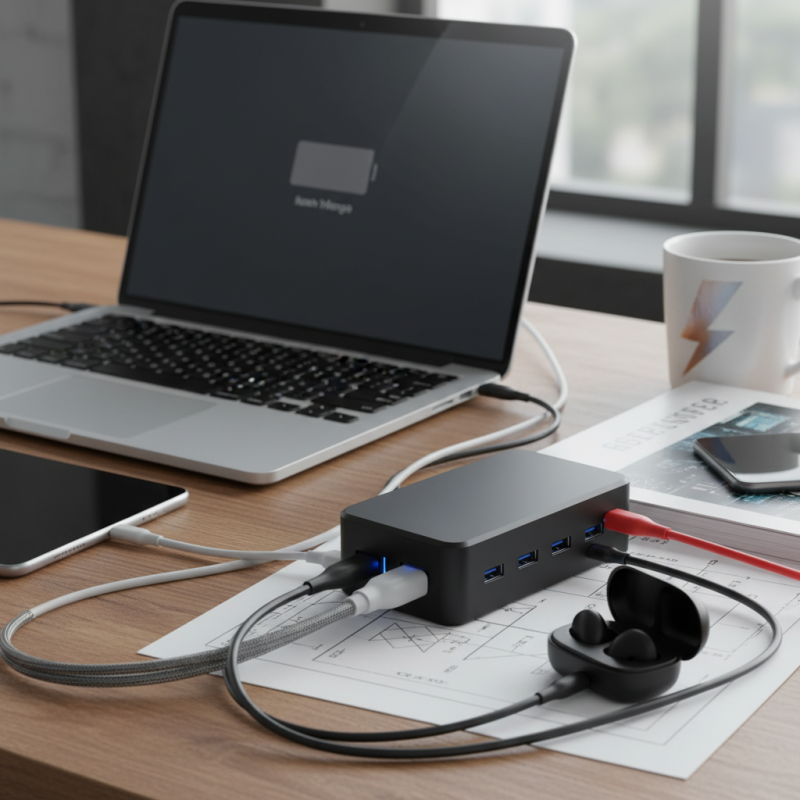
Why is my laptop charging slowly on a multi-port charger?

Understanding Multi-Port Charger Design and Limitations

Using a multi-port charger can sometimes lead to slow laptop charging. This issue often stems from the charger’s design and its limitations. Multi-port chargers distribute power among multiple devices. When one port gets overloaded, it affects the charging speed. Your laptop may not receive the optimal wattage it needs.

Charger specifications matter greatly. Ports can vary in output capacity. Some ports are designed for smaller devices, like smartphones or tablets. If your laptop is plugged into such a port, expect slower charging rates. Cable quality and compatibility also play crucial roles in this equation. Using an inferior cable can hamper performance.

Consider the total load on the charger. When multiple devices are charging, the available power is shared. This can lead to an inadequate supply for your laptop, resulting in sluggish charging. Reflect on how you use your charger. If possible, dedicate charging ports or avoid using all ports simultaneously. Understanding your charger’s capabilities can lead to more efficient charging.

Common Reasons for Slow Charging on Multi-Port Chargers

Using a multi-port charger can sometimes lead to unexpected slow charging speeds for your laptop. One major reason is the total output capacity of the charger. Many multi-port chargers share a fixed wattage among all ports. For example, if a charger provides 60W across four ports, each device may only receive 15W, limiting charging efficiency.

Another factor is power delivery negotiation. Laptops often require higher wattage to charge swiftly. According to a report by the International Electrotechnical Commission, devices that use USB Power Delivery can handle up to 100W. If your multi-port charger does not support this standard, it may hinder your laptop from charging properly.

Cable quality is also crucial. Poor cable insulation or low gauge wires introduce resistance, slowing down the charging process. Research suggests that using an inferior cable can reduce charging speeds by 20% or more. Furthermore, the age of your charger and connected devices might affect performance. Older chargers may not be equipped to deliver modern charging rates. Always check compatibility between your devices and charger before use.

Power Distribution: How It Affects Charging Speed Across Multiple Ports

When using a multi-port charger, you may find your laptop charging slowly. This often stems from power distribution. Multi-port chargers share their total power output across all connected devices. If too many devices draw power at once, charging speed suffers.

For instance, if your charger supports a maximum output of 60 watts, and two devices are connected, each might receive only 30 watts. This division can lead to longer charging times for your laptop. It's essential to check how many devices are plugged in. If one device is particularly power-hungry, it can further slow down the charging process of your laptop.

Visualize a busy intersection. The more cars there are, the longer they take to pass. This scenario mirrors power distribution in chargers. Even with a capable charger, suboptimal configurations can hinder performance. Reflecting on these details helps you understand your charging issues better. Experimenting with different combinations might yield faster results.

Specifications of Charging Cables and Their Impact on Charging Rates

When using a multi-port charger, slow charging of your laptop can largely depend on the specifications of the charging cable. A common issue is the power delivery (PD) capabilities of the cable. High-quality cables support faster PD rates, often up to 100W. However, many standard cables only facilitate lower wattages. As a result, if the cable doesn’t meet the necessary power specs, the laptop will take longer to charge, even when connected to a robust multi-port charger.

The gauge thickness of the wires within the cable also affects the charging rate. Thinner wires may not withstand higher currents, causing significant voltage drops. A cable with a larger gauge, for instance, 16 AWG, can carry more power than a 24 AWG cable. According to industry reports, using a thicker cable can enhance charging efficiency by nearly 25%. Additionally, consider the total power output of the charger. If multiple devices draw power simultaneously, your laptop might receive insufficient current, leading to slower charging times.

Connection quality plays a role as well. Damaged connectors or loose connections can hinder charging rates, even with compatible cables. Regularly inspecting cables for wear and ensuring a tight connection can improve performance significantly. Understanding these details will help you choose better charging solutions, ultimately mitigating the frustration of slow laptop charging on a multi-port charger.

Optimal Usage Practices for Charging Devices on Multi-Port Chargers

Using a multi-port charger can be convenient but may result in slow charging for your laptop. Factors like charging speed, wattage distribution, and device compatibility play a crucial role. According to industry reports, devices often draw power differently based on their requirements. A laptop may not receive sufficient power if multiple devices are charging simultaneously.

Optimal usage practices can improve this situation. For instance, always plug larger devices, like laptops, into dedicated ports designed for higher output. Multi-port chargers often prioritize power distribution based on output capacity. If your charger has a total output of 60 watts, and multiple devices are drawing power, your laptop may only receive a fraction of that.

Tips to enhance charging speed include limiting the number of connected devices. Disconnect any unnecessary devices while charging your laptop. Also, ensure the charger is compatible with your laptop's power needs. Investing in a quality charger tailored for your device is usually more reliable and efficient. Power management technologies can often optimize the charging process, providing more balanced power distribution. Always check your device's needs against the charger’s specifications.

Why is my laptop charging slowly on a multi-port charger? - Optimal Usage Practices for Charging Devices on Multi-Port Chargers

Device Type Charge Rate (W) Charging Port Used Preferable Usage Condition
Laptop 65W Port 1 (Fast Charging) Use dedicated charger for optimal speed
Tablet 20W Port 2 (Standard Charging) Connect directly for faster charging
Smartphone 15W Port 3 (Quick Charge) Avoid using while in use for efficiency
Bluetooth Headphones 5W Port 4 (Low Charge) Charge overnight for best results

FAQS

: Why is my laptop charging slowly with a multi-port charger?

: Slow charging usually happens due to the charger's design and how it distributes power among devices.

What happens if too many devices are connected to the charger?

When multiple devices draw power, it splits the total output, which can slow your laptop charging.

Is it important to check charger ports?

Yes, different ports have varying output capacities. Using a lower-output port can result in slower charging.

How does cable quality affect charging speed?

Poor-quality cables can limit power transfer, negatively affecting how quickly your devices charge.

What should I do if my laptop isn’t getting enough power?

Consider using fewer connected devices or check if your laptop is plugged into the right port.

Can I use all ports on my charger at once?

While you can use all ports, it may slow down charging speed, especially for power-hungry devices.

How does power distribution work in a multi-port charger?

Power is shared among devices. If your charger outputs 60 watts and two devices are plugged in, each gets less power.

What should I reflect on regarding my charging habits?

Consider how many devices you charge simultaneously. Simplifying this can lead to better charging efficiency.

Is experimenting with port configurations helpful?

Yes, trying different combinations of devices can sometimes improve charging times for your laptop.

Conclusion

When using a multi-port charger, you might wonder, "Why does my laptop charge slowly on a multi-port charger?" This can be attributed to several factors related to the design and limitations of such chargers. Multi-port chargers often distribute power among multiple connected devices, which can lead to slower charging speeds. Each port may not provide enough power for high-demand devices like laptops, especially if other devices are simultaneously charging.

In addition, the specifications of the charging cables being used can also impact charging rates. Poor-quality or incompatible cables may not support higher power transfer, exacerbating the slow charging issue. To optimize charging efficiency, it is advisable to connect fewer devices to the charger and ensure that the cables used meet the required specifications for your laptop. Understanding these factors can help you effectively address the slow charging issue when using a multi-port charger.

Amelia

Amelia

Amelia is a seasoned marketing professional with a wealth of expertise in our company’s core offerings. With an unwavering passion for driving growth and innovation, she plays a pivotal role in shaping our marketing strategies and enhancing brand visibility. A key aspect of her responsibilities......