USB hubs are essential tools for connecting multiple devices to a single port. However, many users face the frustrating issue of disconnections. If you find yourself wondering, "Why does my USB hub disconnect randomly?" you're not alone. This situation can derail important tasks and cause significant inconvenience.
The reasons for these random disconnections can vary greatly. It can stem from hardware issues, such as a faulty cable or a malfunctioning hub. Poor power supply can also contribute to the problem, as USB hubs often require adequate power to maintain connections. Additionally, software conflicts may arise, particularly with outdated drivers.
Understanding the root causes is crucial. When devices disconnect without warning, it can lead to lost progress and increased frustration. Reflecting on past experiences with your USB hub can provide insights. Perhaps you noticed the hub disconnecting when connecting multiple devices or during heavy data transfers. Recognizing patterns can help troubleshoot the problem effectively.
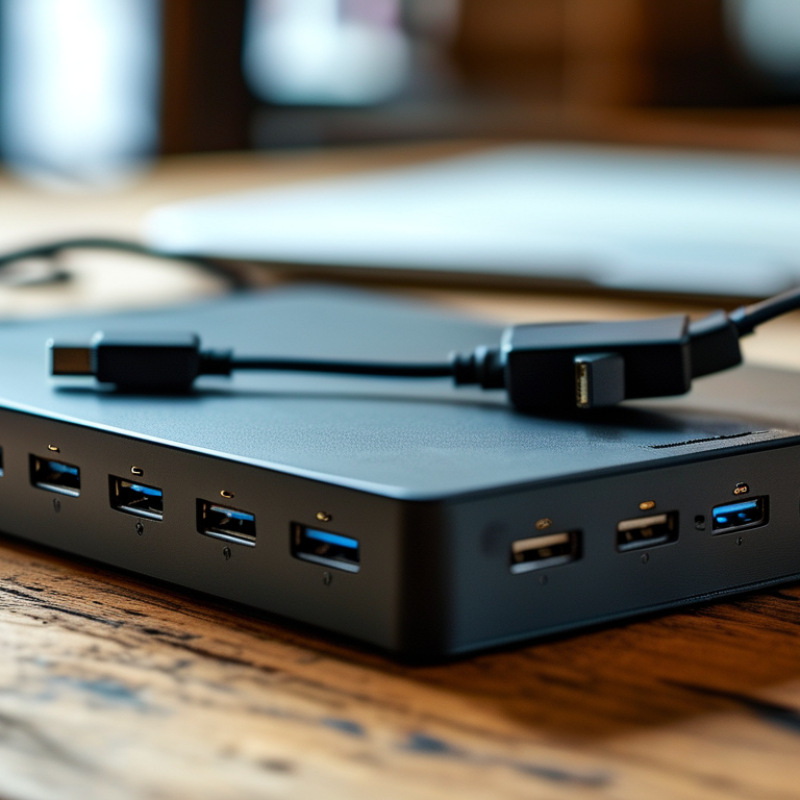
USB hub disconnections can be frustrating. Understanding the common causes helps in troubleshooting and eventually resolving the issue. One frequent reason for disconnections is power supply inconsistency. Many USB hubs rely on the computer's power. If the computer's USB ports struggle to provide enough power, devices can disconnect unexpectedly.
Another potential cause is loose connections. A loosely connected USB cable can lead to intermittent disconnections. Check the cables and ensure they fit snugly into both the hub and the devices. Damage to the cable can also be a factor. Inspect for any visible wear and tear.
Lastly, outdated drivers may cause problems. Ensure that your device drivers are up to date. Sometimes, the technology doesn't play nice. If you notice frequent disconnections, it may be time to revisit your setup. Experimenting with different ports or hubs can also reveal the underlying issue.
USB hubs are convenient, but they can disconnect unexpectedly. This can be frustrating, especially if you're in the middle of important work. Sometimes, the issue stems from a simple connection problem. A loose USB cable or a faulty port can easily lead to sudden disconnections. Gently check each connection to ensure it's tight and secure.
Another common reason for disconnection issues is power supply. Many USB hubs require adequate power, especially when multiple devices are attached. If your hub is underpowered, it may not function properly. Consider using a powered USB hub if you frequently connect high-demand devices. Without the right power, even a reliable hub can seem faulty.
Software conflicts may also cause problems. Outdated drivers can lead to instability. Regularly updating your system and drivers can improve performance. Sometimes, issues arise from too many devices competing for system resources. Disconnect any unnecessary devices to see if the connection stabilizes.
When a USB hub keeps disconnecting, hardware issues may be to blame. Insufficient power supply is a common factor. Many hubs rely on the host device for power, which can lead to power drops. If multiple devices draw power simultaneously, this may cause disconnections. A powered USB hub can provide consistent power to all connected devices.
Cable quality is another essential consideration. Using low-quality cables can result in signal degradation. This degradation can lead to intermittent connections. It’s crucial to use high-quality cables that match the specifications of your devices. Also, check for physical damages to the cables.
Overheating can also impact performance. USB hubs can generate heat, especially when handling high data transfers. Ensure the hub has proper ventilation. Avoid placing it in confined spaces. Disconnect any devices that are not in use to reduce the overall workload on the hub. These small adjustments can help maintain stable connections.
USB hubs can be frustrating when they disconnect unexpectedly. Often, these issues stem from software and driver conflicts. According to a report from the USB Implementers Forum, 49% of device connectivity problems originate from incorrect or outdated drivers. Updating these drivers can resolve many connectivity issues. For Windows users, accessing Device Manager to search for updates can be a game-changer.
Another aspect to consider is power management settings. Many USB hubs have power-saving features enabled. However, these can lead to disconnections. A survey from TechRadar indicated that 36% of users faced hub disconnections due to power saving. Disabling these settings can improve stability. Additionally, ensuring that your operating system is fully updated enhances compatibility with various devices.
Moreover, it’s essential to acknowledge potential limitations. Sometimes, even with updated drivers, the hub may still disconnect. This could be due to faulty hardware or insufficient power supply. Regular testing and monitoring are crucial here. Keeping track of which devices cause issues helps isolate the problem. Experience shows that an informed approach can significantly mitigate disruption.
USB hubs are essential tools for expanding connectivity. However, frequent disconnections can be frustrating. According to a report from the International Data Corporation (IDC), up to 30% of USB connectivity issues are caused by user error or poor setup. Ensuring proper installation is crucial. Check that all connections are secure and that the hub is plugged into a reliable power source.
Overheating can also lead to disconnections. A recent study by the USB Implementers Forum highlighted that excessive heat can reduce the performance of USB hubs. To combat this, make sure your hub has proper ventilation. Avoid placing it in enclosed spaces to mitigate overheating risks. Regularly cleaning the hub can also help reduce dust buildup, which can impact performance.
The use of high-quality cables is another vital consideration. Poor-quality cables are prone to wear and tear, leading to connectivity issues. Look for cables that meet USB standards to ensure reliability. As per the National Institute of Standards and Technology (NIST), using subpar materials can decrease device lifespan and performance. Evaluating your setup can help identify these shortcomings and improve your USB hub experience.
: Power supply inconsistency can cause USB hubs to disconnect unexpectedly.
Ensure cables are snugly fitted into both the hub and the devices to avoid disconnections.
Look for visible wear and tear, which can lead to connection issues.
Outdated drivers often result in connection problems, leading to disconnections of devices.
Access Device Manager on Windows to search for and install updates for your drivers.
Enabled power-saving features can lead to unexpected disconnections in USB hubs.
Disabling power-saving settings and keeping the operating system updated can enhance stability.
Even with updated drivers, disconnections can occur due to faulty hardware or insufficient power supply.
Regularly monitor which devices cause problems to help identify underlying issues.
Continuous disconnections can disrupt workflow and require ongoing troubleshooting efforts.
If you've ever wondered, "Why does my USB hub disconnect randomly?" you're not alone. This issue can stem from various sources, including hardware malfunctions, power supply inconsistencies, or faulty connections. Common causes of disconnections often involve loose cables, insufficient power supply, or malfunctioning USB ports.
To address these connectivity issues, troubleshooting steps may include checking hardware connections, testing with different devices, and ensuring that the hub is receiving adequate power. Additionally, software and driver considerations play a crucial role; outdated drivers can lead to instability. Implementing preventive measures, such as using high-quality hubs and cables, can significantly reduce disconnection problems, ultimately enhancing your experience with USB hubs.

RF-Core Charger